Contour Edit
The
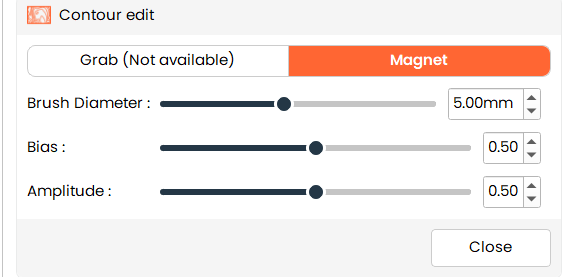
Contour Edittool allows users to modify the surface contour of a model using a brush-based Magnet operation for localized shape refinement.
Steps
- Select the Contour Edit tool from the tools panel.
- The Operation is set to Magnet by default.
- Adjust the brush and effect parameters as required.
- Place a mark on the model in the 3D view to modify the contour.
- Click Close to exit the tool.
Additional Information
Operation
- Defines the type of contour editing.
- Grab:
- Currently disabled and not available for use.
- Magnet:
- The user places a mark in the object area.
- Nearby contour points are automatically attracted to the mark.
- This results in a stretched or shrunken surface around the marked location.
Brush Properties
- Brush Diameter:
- Defines the overall diameter of the brush for editing.
- The value is specified in millimeters.
Effect Parameters
-
Bias:
- Shifts the cosine falloff curve up or down.
- Increasing the bias makes the overall deformation stronger.
-
Amplitude:
- Controls how much the cosine wave varies from the bias.
- Increasing the amplitude makes the falloff more pronounced, affecting nearby regions more sharply.